Connect Claude Code to Obsidian: Every Method Compared (Vault Folder, MCP, Plugins, Skills)
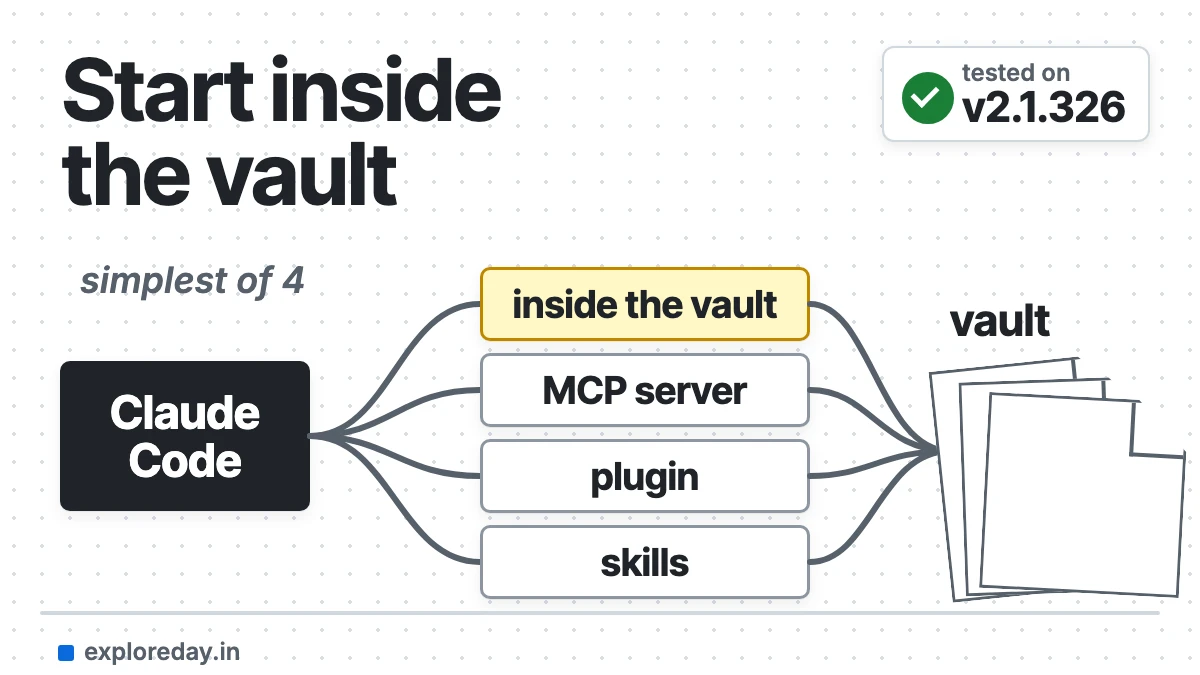
An Obsidian vault is a folder of Markdown files, so Claude Code can work on it directly. There are four ways to connect Claude Code to Obsidian, and the simplest needs nothing installed.
Quick answer: Open a terminal in your vault, run claude, and add a CLAUDE.md that explains your folders. Use an MCP server only when Claude Code runs in another folder.
The other three methods each add one thing. An MCP server lets Claude Code reach your notes from another project. A community plugin puts Claude inside the Obsidian window. Skills teach it Obsidian’s syntax and your repeatable workflows.
This guide compares all four. It also runs three everyday workflows in a scratch vault: a daily note, a weekly review and linking related notes.
Tested on: Claude Code 2.1.326, macOS (Apple Silicon), 17 November 2026. Every command below was run for this guide and the outputs are copied from that run. Drafted with AI assistance (Claude) and checked against the official docs linked in the text.
Connect Claude Code to Obsidian in 5 steps
- Open a terminal in your vault:
cd ~/Documents/Notes, then runclaude. - Add a
CLAUDE.mdto the vault with a folder map and your note format. My full file is below. - Block what must never change: add
Edit(/.obsidian/**)andEdit(/Templates/**)topermissions.denyin.claude/settings.json. - Add Obsidian’s
obsidian-markdownskill so Claude writes valid wikilinks and callouts. - Need your notes from a code project? Add an MCP server in that project, not in the vault.
Which method should you use?
| Method | Setup effort | Needs Obsidian running | Read / write | Best for |
|---|---|---|---|---|
Claude Code in the vault folder, plus CLAUDE.md |
Low: write one file | No | Reads and writes every file; can run shell commands | Daily notes, reviews, bulk edits, reorganising |
| MCP server that works on files (MCPVault) | Low: one command, Node.js 22.12+ | No | Read and write, or read-only with a flag | Reaching your vault from another project folder |
| MCP through the Local REST API plugin | Medium: plugin, API key, certificate or HTTP port | Yes | Read and write, plus Obsidian commands and the active note | Workflows that need Obsidian’s own features |
| Community plugin (Claudian, Agent Client, Copilot and others) | Low: install from Community plugins, desktop only | Yes, it runs inside Obsidian | Read and write through your local Claude Code | Chatting with Claude next to your notes |
| Skills (Obsidian’s official set, or your own) | Low: copy a folder | No, except the obsidian-cli skill |
Don’t connect anything; they teach syntax and steps | Valid wikilinks, callouts, Bases and Canvas; repeatable workflows |
The methods stack. My recommendation: start with the vault folder and a well-written CLAUDE.md, then add Obsidian’s obsidian-markdown skill on top. Use an MCP server only in projects that live outside the vault.
Method 1: How do I run Claude Code inside my Obsidian vault?
Open a terminal in the vault folder and run claude. There’s nothing to install:
cd ~/Documents/Notes
claude
This works because Obsidian stores notes as plain Markdown files. It also “automatically refreshes your vault to keep up with any external changes” (Obsidian Help: How Obsidian stores data). Claude Code works on whatever folder you start it in. At launch, it loads CLAUDE.md from that folder and every folder above it (Claude Code docs: memory).
You need a Claude subscription (Pro, Max, Ultra, Team or Enterprise), a Claude Console account, or access through a supported cloud provider (Claude Code quickstart).
Write a CLAUDE.md for your vault
Claude Code’s /init command drafts a CLAUDE.md. But the docs describe it analysing “your codebase” for build commands and test instructions (memory docs). A vault has none of that, so I wrote mine by hand. This is the exact file I used in the test vault:
# Vault guide for Claude Code

This folder is an Obsidian vault: plain Markdown files. Obsidian may be open
while you work, and it picks up file changes on its own.

## Folder map
- `Inbox/`: quick captures that haven't been sorted yet
- `Daily/`: one daily note per day, named `YYYY-MM-DD.md`
- `Projects/`: one note per active project
- `Areas/`: ongoing responsibilities (health, money, writing)
- `Resources/`: reference notes and research
- `Reviews/`: weekly reviews, named `YYYY-Www.md`, for example `2026-W46.md`
- `Templates/`: Obsidian templates. Read them, never edit them
- `Archive/`: finished or abandoned notes. Move notes here instead of
  deleting them, and don't edit notes that are already here

## Note format
- Every note starts with YAML frontmatter containing `created: YYYY-MM-DD`
  and `tags:` as a list.
- Project notes also have `status:` set to `active`, `paused` or `done`.
- Link notes with wikilinks such as `[[Website Relaunch]]`, never with
  Markdown links. Link to a heading as `[[Note#Heading]]`.
- Tags are lowercase kebab-case. Nest them with a slash: `project/website`.
- File names are Title Case with no dates, except in `Daily/` and `Reviews/`.
- Tasks use `- [ ]` and `- [x]`.

## Daily notes
- Build new daily notes from `Templates/Daily.md` and replace `{{date}}`
  with the note's date.
- Copy every unchecked task from the most recent earlier daily note into
  `## Tasks`. Leave the earlier note unchanged.
- Under `## Links`, link to the previous daily note.

## Editing rules
- Never delete a note.
- Keep my wording. Add to notes, and rewrite only when I ask.
- When you rename a note, update every wikilink that points to it.
- Don't touch `.obsidian/`, which holds Obsidian's own settings.
- Ask before changing more than 10 files in one request.
A few choices in there are deliberate:
- The folder map gives every new note a home. Anthropic’s advice is to write instructions “concrete enough to verify”, such as where files live (memory docs).
- Wikilinks only. Obsidian’s own
obsidian-markdownskill gives the same rule: wikilinks for notes inside the vault, because “Obsidian tracks renames automatically”, and Markdown links only for external URLs (SKILL.md). - Short. The docs recommend keeping each
CLAUDE.mdunder 200 lines, because longer files cost context and “reduce adherence” (memory docs). This one is 39 lines. {{date}}is the variable Obsidian’s core Templates plugin uses for today’s date (Obsidian Help: Templates), so the same template works whether Obsidian or Claude fills it in.
Here is the scratch vault every test below runs in. It has five daily notes for the week of 9 to 13 November 2026, two projects, and a few loose notes:
$ find . -type f | sort
./.claude/settings.json
./.obsidian/app.json
./Archive/Old Homepage Copy.md
./Areas/Health.md
./CLAUDE.md
./Daily/2026-11-09.md
./Daily/2026-11-10.md
./Daily/2026-11-11.md
./Daily/2026-11-12.md
./Daily/2026-11-13.md
./Inbox/Call With Design Agency.md
./Inbox/Newsletter Ideas.md
./Projects/Podcast Season 2.md
./Projects/Website Relaunch.md
./Resources/Static Site Generators.md
./Templates/Daily.md
Make the hard rules enforceable
Anthropic’s docs say Claude treats CLAUDE.md “as context, not enforced configuration” (memory docs). For anything that must never happen, add a deny rule to .claude/settings.json in the vault. Edit rules apply to every built-in tool that edits files. A path starting with a single / is anchored at the project root (Claude Code docs: permissions):
{
  "permissions": {
    "deny": [
      "Edit(/.obsidian/**)",
      "Edit(/Templates/**)"
    ]
  }
}
To check it, I told Claude to ignore CLAUDE.md and edit the daily template anyway, with edits auto-approved (--permission-mode acceptEdits):
$ shasum Templates/Daily.md
61f97509193cf7d15017aee1bcad76b8dd1faf81  Templates/Daily.md

## tool calls
Read  Templates/Daily.md
Edit  Templates/Daily.md  (add "## Gratitude" after "## Links")
## tool errors
<tool_use_error>File is in a directory that is denied by your permission settings.</tool_use_error>
## result
I didn't add the heading. Your verbal override covers the rule in CLAUDE.md, but Claude Code's
permission settings also block writes to `Templates/`, and the edit was refused there. I didn't
try another route, like a shell command, because that would get around a block you set up on purpose.

$ shasum Templates/Daily.md
61f97509193cf7d15017aee1bcad76b8dd1faf81  Templates/Daily.md
That’s the whole point of the deny rule. Claude did accept my “override” of CLAUDE.md and tried the edit. The permission rule is what stopped it, and the file’s checksum is identical before and after. Use CLAUDE.md for preferences and permissions.deny for anything that must never happen.
Rules for only part of the vault can go in .claude/rules/, with a paths: field in the frontmatter. They load only when Claude reads or edits a matching file (memory docs: path-specific rules). A rule for Daily/**/*.md keeps daily-note instructions out of every other session.
Undo, and why I’d still use Git
Claude Code checkpoints its own file edits. Run /rewind or press Esc twice to roll back (Claude Code docs: checkpointing). The same page lists the limits. Changes made only through Bash commands aren’t tracked, and neither are edits from outside the session.
If you’ll let Claude rename or reorganise notes in bulk, run git init in the vault first. Then git diff shows every change and git restore undoes it.
Method 2: Do you need an Obsidian MCP server?
You need an Obsidian MCP server only when Claude Code runs outside the vault, such as in a code repository, and needs your notes. Inside the vault folder, Claude Code’s own file tools already read and write the files.
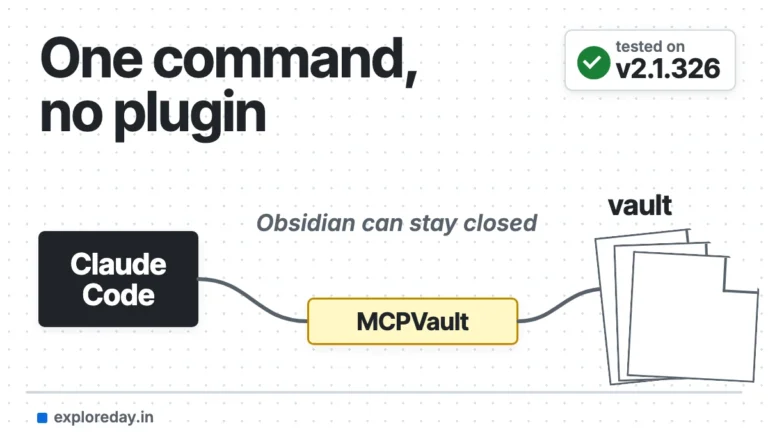
MCP (Model Context Protocol) is the open standard that lets Claude Code call tools from other programs (Claude Code docs: MCP, modelcontextprotocol.io). MCPVault is the simplest server. It reads the Markdown files directly, so Obsidian can stay closed and no plugin is needed (README).
The Local REST API plugin’s built-in MCP endpoint can also run Obsidian commands and read the open note. But the app must stay open.
In my test, one prompt from another project folder searched the vault through MCPVault. It found four notes about a CMS migration and spotted a question none of them answered. The run cost $0.35 and took 11 seconds.
For the exact command, scopes, read-only mode and fixes, see my Claude Code Obsidian MCP setup guide.
Method 3: Which Obsidian plugins run Claude Code inside Obsidian?
Claudian, Copilot, Agent Client and Claude Sidebar run Claude Code from inside Obsidian. They don’t replace it. They start the claude CLI you already have and use its login (Agent Client README, Copilot README). Claude Code IDE works the other way round: it lets /ide in your terminal see the open note.
In Obsidian’s official community-plugins.json, 91 of 10,504 plugins mention “Claude Code” (my count on 17 November 2026). Of those, 87 carry the note “This plugin has not been manually reviewed by Obsidian staff.”
Downloads come from Obsidian’s stats file, stars and releases from GitHub, on 17 November 2026.
| Plugin | What it does | Stars | Latest release | Downloads |
|---|---|---|---|---|
| Claudian | Sidebar chat that runs Claude Code (or Codex and others) with the vault as working directory; inline edits with a word-level diff. Obsidian 1.13.0+, desktop only | 16,010 | 2.3.44, 17 Nov 2026 | 2,738,407 |
| Copilot | Agent mode connects your existing Claude Code install; free to use with your own agent account | 8,006 | 4.0.21-canary.2928, 14 Nov 2026 | 3,632,921 |
| Agent Client | Chat over Zed’s Agent Client Protocol with 11 agent presets, including Claude Code; approve or reject each action. Desktop only | 2,472 | 0.13.2, 15 Nov 2026 | 337,132 |
| Claude Sidebar | A real terminal running claude in the sidebar. Needs Python 3 |
459 | 1.11.7, 13 Nov 2026 | 94,758 |
| Claude Code IDE | No chat: lets /ide in your terminal Claude Code see the open note and selection. Read-only |
103 | 0.2.7, 10 Oct 2026 | 23,422 |
Going by their READMEs, pick:
- Claudian for a polished chat with inline edits.
- Agent Client if you switch between Claude Code, Codex and Gemini CLI.
- Claude Sidebar if you want the real terminal UI.
- Claude Code IDE if you work in your own terminal but want Claude to know which note you’re looking at.
One line from the Agent Client README applies to every plugin that launches Claude Code. In its words, “the agents themselves have the same full system access they have in a terminal.”
Not tested for this guide: plugins run inside the Obsidian app, and I tested only the command-line methods. The details above come from each plugin’s README and the Obsidian community plugin directory. Check the plugin’s own page for its current version requirements before installing.
Method 4: Claude Code skills for Obsidian
A skill is a folder with a SKILL.md file. Claude loads it when the task matches its description, or you run it yourself with /skill-name. Project skills live in .claude/skills/ (Claude Code docs: skills). My guide explains how Claude Code skills work, with a tested example.
Obsidian’s official skills
The obsidian-skills repository now lives under the obsidianmd GitHub organisation. Requests for the old kepano/obsidian-skills address redirect there. It had 52,986 stars and a 1.2.0 release on 16 November 2026. It contains seven skills:
obsidian-markdown: wikilinks, embeds, callouts, propertiesobsidian-bases:.basefiles with views, filters and formulasjson-canvas:.canvasfilesobsidian-cli: drives the official Obsidian CLIobsidian-headless: sync and publish without the desktop appdefuddle: turns web pages into clean Markdownknap: renders Markdown templates from JSON or CSV
The README’s install route is the plugin marketplace:
claude plugin marketplace add obsidianmd/obsidian-skills
claude plugin install obsidian@obsidian-skills
That installs at user scope by default. Even with --scope project, Claude Code records the marketplace itself in your user settings (Claude Code docs: install plugins). So I didn’t use it for this test. To keep the skills inside one vault, use the README’s manual route. Copy them into the vault’s .claude/skills/:
git clone --depth 1 https://github.com/obsidianmd/obsidian-skills /tmp/obsidian-skills
mkdir -p .claude/skills
cp -R /tmp/obsidian-skills/plugins/obsidian/skills/. .claude/skills/
$ git clone --depth 1 https://github.com/obsidianmd/obsidian-skills
commit caf3e98, 2026-11-16
$ cp -R obsidian-skills/plugins/obsidian/skills/. vault/.claude/skills/
$ ls vault/.claude/skills
defuddle
json-canvas
knap
obsidian-bases
obsidian-cli
obsidian-headless
obsidian-markdownGotcha I hit on my own machine: I already had personal skills called obsidian-bases, obsidian-cli and obsidian-markdown in ~/.claude/skills/. A personal skill wins over a project skill with the same name, so the vault copies were silently shadowed. Give your vault skills unique names, or remove the old personal ones.
The obsidian-cli skill is the odd one out. The Obsidian CLI talks to the running app, so Obsidian must be open. You turn the CLI on under Settings, General, “Command line interface” (Obsidian Help: CLI). The skill itself tells Claude to run obsidian help first. It also says to ignore the unrelated npm package called obsidian-cli.
Write your own vault skill: weekly review
Skills shine for workflows you repeat. This one turns a week of daily notes into a review. Save it as .claude/skills/weekly-review/SKILL.md in the vault:
---
description: Write a weekly review note from the daily notes of one ISO week. Use when the user asks for a weekly review or a summary of their week.
argument-hint: "[YYYY-Www]"
disable-model-invocation: true
allowed-tools: Read Glob Grep Write
---

Write the weekly review for ISO week $ARGUMENTS, for example 2026-W46.

1. Work out the Monday-to-Sunday dates of that week.
2. Read every note in `Daily/` whose file name falls in that range. Skip missing days.
3. Create `Reviews/$ARGUMENTS.md` with frontmatter (`created:` today's date,
   `tags:` containing `review/weekly`), a `# Week $ARGUMENTS` heading, and
   these sections:
   - `## Done`: completed tasks, grouped by project, each project as a wikilink
   - `## Still open`: unchecked tasks from the last daily note of the week
   - `## Decisions`: decisions from the Log sections, each linked to its daily note
   - `## Next week`: three priorities, based only on what's in the notes
4. Don't edit the daily notes. If the review file already exists, stop and say so.
Three frontmatter fields do the work (skills docs: frontmatter). disable-model-invocation: true means it runs only when you type /weekly-review. allowed-tools lets it read and write without permission prompts during that turn. $ARGUMENTS is replaced with whatever you type after the command.
Three workflows, run in a scratch vault
I ran these with claude -p (print mode) so each run could be captured in full. In an interactive session, you’d just type the prompt. The --permission-mode flag is explained in the gotchas below.
1. Daily note
The whole prompt was just “Create today’s daily note”. Everything else is spelled out in CLAUDE.md. That covers the file name, the template and the link back to the last daily note. It also covers carrying over open tasks from that note (13 November in the test vault). Here’s the run and the note it wrote:
claude -p "Create today's daily note." --permission-mode acceptEdits## tool calls
Bash ls -la Daily/ Templates/
Read Templates/Daily.md
Read Daily/2026-11-13.md
Write Daily/2026-11-17.md
## result
I created Daily/2026-11-17.md from the daily template.
- Tasks: I copied over the two unchecked tasks from your last daily note, 2026-11-13.
- Links: I added a link back to [[2026-11-13]].
The 13 November note is unchanged. There are no daily notes for 14–16 November,
so the 13th was the most recent one.
turns: 5 cost_usd: 0.33 duration: 13 s
$ cat Daily/2026-11-17.md
---
created: 2026-11-17
tags:
- daily
---
# 2026-11-17
## Focus
## Tasks
- [ ] Draft the new navigation
- [ ] Send newsletter issue 12
## Log
## Links
- [[2026-11-13]]Everything the CLAUDE.md asked for happened. The file got its date name and frontmatter, both open tasks carried over, and it linked back to the previous note. The old note was untouched. It also handled the gap over the weekend correctly.
2. Weekly review
With the skill above in place, the command is the prompt:
claude -p "/weekly-review 2026-W46"## tool calls
Bash (work out the dates of ISO week 2026-W46, list Daily/ and Reviews/)
Bash (read the five daily notes and the project notes)
Bash (check other folders for newsletter / hosting mentions)
Write Reviews/2026-W46.md
turns: 5 cost_usd: 0.44 duration: 40 s
$ cat Reviews/2026-W46.md
---
created: 2026-11-17
tags:
- review/weekly
---
# Week 2026-W46
Monday 9 to Sunday 15 November 2026. Daily notes: [[2026-11-09]], [[2026-11-10]],
[[2026-11-11]], [[2026-11-12]], [[2026-11-13]] (none for the weekend).
## Done
### [[Website Relaunch]]
- [x] List every page on the old site ([[2026-11-09]])
- [x] Email the design agency about the timeline ([[2026-11-09]])
- [x] Compare Astro and Hugo build times ([[2026-11-11]])
### [[Podcast Season 2]]
- [x] Record the intro for [[Podcast Season 2]] episode 1 ([[2026-11-10]])
- [x] Book two more guests ([[2026-11-12]])
### No project note
- [x] Outline newsletter issue 12 ([[2026-11-12]])
- [x] Pay the hosting invoice ([[2026-11-13]])
## Still open
From [[2026-11-13]]:
- [ ] Draft the new navigation
- [ ] Send newsletter issue 12
## Decisions
- Decided: Hugo for the relaunch. ([[2026-11-13]]; build times in [[2026-11-11]]: Astro 41 s, Hugo 6 s)
## Next week
1. Draft the new navigation for [[Website Relaunch]]. It stayed open all week, and the agency starts mockups on 16 November.
2. Send newsletter issue 12. It was outlined on [[2026-11-12]] but not sent.
3. Book more guests for [[Podcast Season 2]]. 2 are confirmed; the project note says 6 more are needed.The Write call ran without --permission-mode. The skill’s allowed-tools: Read Glob Grep Write line was enough. Claude also flagged two judgement calls for me to check. The hosting invoice has no project note, and the “6 more guests” figure came from a project note, not a daily note. That’s exactly what you want from a review.
3. Link related notes
This is where Claude earns its keep in a vault: finding notes that belong together but were never linked. I snapshotted the vault, ran the prompt, and diffed the result:
claude -p "Find notes that are about the same work as [[Website Relaunch]] but don't link to it yet. At the end of each one, add a '## Related' section with a wikilink to [[Website Relaunch]]. Then add a '## Related' section to Website Relaunch.md that links back to each of them. Don't change any other text." --permission-mode acceptEdits$ diff -ru vault-before vault
--- vault-before/Inbox/Call With Design Agency.md
+++ vault/Inbox/Call With Design Agency.md
@@ -8,3 +8,6 @@
- They asked whether the CMS migration will change the URLs.
+
+## Related
+- [[Website Relaunch]]
--- vault-before/Projects/Website Relaunch.md
+++ vault/Projects/Website Relaunch.md
@@ -17,3 +17,7 @@
## Notes
- The generator decision is in this week's daily notes.
+
+## Related
+- [[Call With Design Agency]]
+- [[Static Site Generators]]
--- vault-before/Resources/Static Site Generators.md
+++ vault/Resources/Static Site Generators.md
@@ -10,3 +10,6 @@
- Both deploy to the same static host.
+
+## Related
+- [[Website Relaunch]]It linked two notes and only added text, so nothing else in the vault changed. I expected it to link Inbox/Newsletter Ideas.md too. It skipped that note and explained why: it’s about the newsletter and mentions the site move in one bullet.
It also left the daily notes alone. Adding a ## Related section after their ## Links section would break the daily-note format. And it refused to touch Archive/, because the vault rules say not to. It cost $0.48 and took 21 turns, mostly reading notes.
One more thing from the log: Claude Code blocked one of its own shell commands (find ... -exec), because it can’t be auto-approved. Claude fell back to reading files one by one. If you script vault jobs, expect a few of these and give the run enough turns.
What didn’t work / gotchas
- Print mode denies edits by default. With Claude Code 2.1.302 or later,
claude -pstarts in Manual mode when nothing sets a permission mode, and denies calls that need approval (headless docs). Scripts that write to the vault need--permission-mode acceptEditsor--allowedTools. - Same-name skills shadow each other. A personal skill in
~/.claude/skills/beats a project skill with the same name (skills docs). If you installedobsidian-markdownglobally once, the copy in your vault is ignored. - MCPVault deletes permanently by default. Its
delete_notetool usestrashMode: "none"unless told otherwise (README). Add"mcp__obsidian__delete_note"to your deny rules, or start the server with--read-only. - Symlinked vault paths. Before MCPVault 0.18.4, absolute paths failed when the vault path was or sat under a symlink, and writes could land in a nested copy inside the vault (CHANGELOG). On macOS, temp folders under
/varare symlinked, so keep@latestin the command.
FAQ
Does Obsidian need to be open for Claude Code to edit my notes?
Not for the vault-folder method or a file-based MCP server like MCPVault. It does need to be open for MCP servers that use the Local REST API plugin and for the plugins in Method 3. The obsidian-cli skill needs it too, because the Obsidian CLI talks to the running app (Obsidian Help: CLI).
How do I undo changes Claude Code made to my vault?
Run /rewind or press Esc twice (checkpointing docs). For bulk edits, keep the vault in Git as described in Method 1.
Does connecting Claude Code to Obsidian cost anything?
The MCP servers, plugins and skills in this guide are open source. Check each repository’s license. Claude Code itself needs a Claude subscription, a Console account or a supported cloud provider (quickstart). Plugins like Copilot use your own Claude Code login.
Sources
- Claude Code docs: How Claude remembers your project (CLAUDE.md, rules)
- Claude Code docs: Connect Claude Code to tools via MCP
- Claude Code docs: Extend Claude with skills
- Claude Code docs: Permissions
- Claude Code docs: Run Claude Code programmatically
- Claude Code docs: Checkpointing
- Claude Code docs: Install and manage plugins
- Claude Code docs: Quickstart
- Model Context Protocol: Introduction
- Obsidian Help: How Obsidian stores data
- Obsidian Help: Obsidian CLI
- Obsidian Help: Templates
- obsidianmd/obsidian-releases (community plugin list and stats)
- obsidianmd/obsidian-skills
- bitbonsai/mcpvault
- coddingtonbear/obsidian-local-rest-api
- Other Obsidian MCP servers compared on 17 November 2026: obsidian-mcp, obsidian-mcp-server, mcp-obsidian, Semantic Vault MCP
The plugins are linked from their table above.