How to Use Skills in Claude Code: Install, Write, Test
To use skills in Claude Code, save a SKILL.md file in .claude/skills/<name>/ for one project, or in ~/.claude/skills/<name>/ for all projects. Claude runs the skill on its own when your request matches its description, or you run it yourself by typing /<name>.
I wrote a small skill and ran it six times with claude -p, breaking it on purpose along the way. I also installed Anthropic’s skill plugins. Below are the files, the real output, and the three things that stopped my skill from running.
Quick answer: A skill is a folder with a SKILL.md file of instructions. Put it in .claude/skills/<name>/. Then ask for the task in plain words, or type /<name>.
Tested on: Claude Code 2.1.327, macOS 26.7.1 (Apple Silicon), 19 November 2026. Every command below was run for this guide and the outputs are copied from that run. Drafted with AI assistance (Claude) and checked against the official docs linked in the text.
Skills in 60 seconds
- Make the folder:
mkdir -p .claude/skills/todo-report - Write the file
.claude/skills/todo-report/SKILL.md. Give it aname, adescriptionthat says when to use it, and numbered steps. The full file is below. - Check that it parses:
claude plugin validate .claude/skills - Use it: ask “What TODOs are left in this project?” or type
/todo-report. - Not firing? Run
/skill-doctorto see if it loaded. Then make the description more specific.
What is a skill in Claude Code?
A skill is a set of reusable instructions that Claude loads only when it needs them. Until then, Claude sees just the skill’s name and its description.
The official skills docs say a skill’s body “loads only when it’s used”. Here’s how it compares:
| What it is | When it loads | Use it for | |
|---|---|---|---|
| Skill | .claude/skills/<name>/SKILL.md |
Description: every session. Body: when used | Repeatable steps, checklists |
| CLAUDE.md | A Markdown file in the project | Every session, in full | Facts: commands, conventions |
| MCP server | A program that adds tools | Tool list: every session | Outside systems such as APIs and databases |
| Slash command | .claude/commands/<name>.md |
When you type it | The older format, now merged into skills |
Facts go in CLAUDE.md, procedures go in a skill, and new abilities need an MCP server. My guide to what belongs in CLAUDE.md covers the first. For the last, see how to add an MCP server to Claude Code.
Where do Claude Code skills live?
Skills load from three main places: your home folder, the project, or an installed plugin. The folder name becomes the command.
| Scope | Path | Who gets it | Command |
|---|---|---|---|
| Personal | ~/.claude/skills/<name>/SKILL.md |
You, in every project | /<name> |
| Project | .claude/skills/<name>/SKILL.md |
Everyone who clones the repo | /<name> |
| Plugin | <plugin>/skills/<name>/SKILL.md |
Anyone with the plugin turned on | /<plugin>:<name> |
- Same name in two places: personal beats project, and enterprise beats both. Plugin skills never clash, because of the prefix.
- Edits apply live. The docs say changes to skill folders load without a restart. A brand-new top-level
skillsfolder needs/reload-skills. - Testing tip: with
--setting-sources project,local, my personal skills didn’t load. The session listed my project skill plus 19 built-in skills.
How to install skills in Claude Code from GitHub
To install a skill, copy its folder into a skills directory, or install a plugin that bundles it. I tested both with Anthropic’s anthropics/skills repo.
Option 1: copy one skill folder
$ git clone --depth 1 https://github.com/anthropics/skills.git ../anthropic-skills
$ cp -r ../anthropic-skills/skills/frontend-design .claude/skills/
$ claude plugin validate .claude/skills
✔ Validation passed
Next, /skill-doctor showed that both project skills had loaded. It ran locally, with no model call and a cost of $0:
$ claude -p "/skill-doctor" --setting-sources project,local --strict-mcp-config
Skills loaded this session

  skill            source           context  7d tokens   uses  last used
  frontend-design  projectSettings      ~70          -     0×  never
  todo-report      projectSettings      ~50     129.8k     3×  today
The “context” column is what the skill’s listing costs in tokens on every turn.
Option 2: add the marketplace and install a plugin
The same repo is also a plugin marketplace (a catalog of plugins you can install). From your shell:
$ claude plugin marketplace add anthropics/skills --scope project
...
✔ Successfully added marketplace: anthropic-agent-skills (declared in project settings)

$ claude plugin install example-skills@anthropic-agent-skills --scope project
Installing plugin "example-skills@anthropic-agent-skills"...✔ Successfully installed plugin: example-skills@anthropic-agent-skills (scope: project)
--scope project added extraKnownMarketplaces and enabledPlugins to .claude/settings.json, so teammates get the plugin too. Inside a session, the README uses /plugin marketplace add anthropics/skills and /plugin install document-skills@anthropic-agent-skills. I didn’t test that interactive route.
I set CLAUDE_CONFIG_DIR to a temp folder so my real ~/.claude stayed untouched. You can skip that. To undo everything:
claude plugin uninstall example-skills@anthropic-agent-skills --scope project
claude plugin marketplace remove anthropic-agent-skills
Skills can run scripts on your machine. Read the skill’s SKILL.md and its scripts/ folder before you install it.
How to write your first Claude Code skill
A SKILL.md has two parts: a YAML settings block between --- lines, then plain Markdown steps. This is the exact file from run 2. Runs 3 to 6 changed only its description line:
---
name: todo-report
description: Lists every TODO and FIXME comment in the project as a Markdown table grouped by file. Use when the user asks about TODOs, FIXMEs, leftover work, unfinished code or tech debt.
argument-hint: [folder]
allowed-tools: Bash(grep *)
---

# TODO report

1. Run `grep -rnE "TODO|FIXME" --exclude-dir=.git --exclude-dir=.claude` on this folder: $ARGUMENTS
   If no folder was given, use `.` (the whole project).
2. Print one Markdown table with the columns File, Line, Type, Note, sorted by file and then line.
3. Under the table, print the totals as `TODO: n, FIXME: n`.
4. End with the line `Report format: todo-report skill v1`.nameis the command, here/todo-report. The Agent Skills spec allows lowercase letters, digits and hyphens, up to 64 characters.descriptionis the trigger. Say what the skill does, then list the words people actually type.argument-hintshows in autocomplete after the command.allowed-toolsletsgreprun without asking, for that turn only. It has a side effect, covered below.$ARGUMENTSis replaced with whatever you type after/todo-report.
The last line is a marker. If a reply ends with “Report format: todo-report skill v1”, the skill ran. Fields such as context: fork and paths are in the frontmatter reference.
How to use skills in Claude Code: automatic or /skill-name
Automatic use happens when your request matches the description, and Claude calls the skill itself. Direct use happens when you type /skill-name.
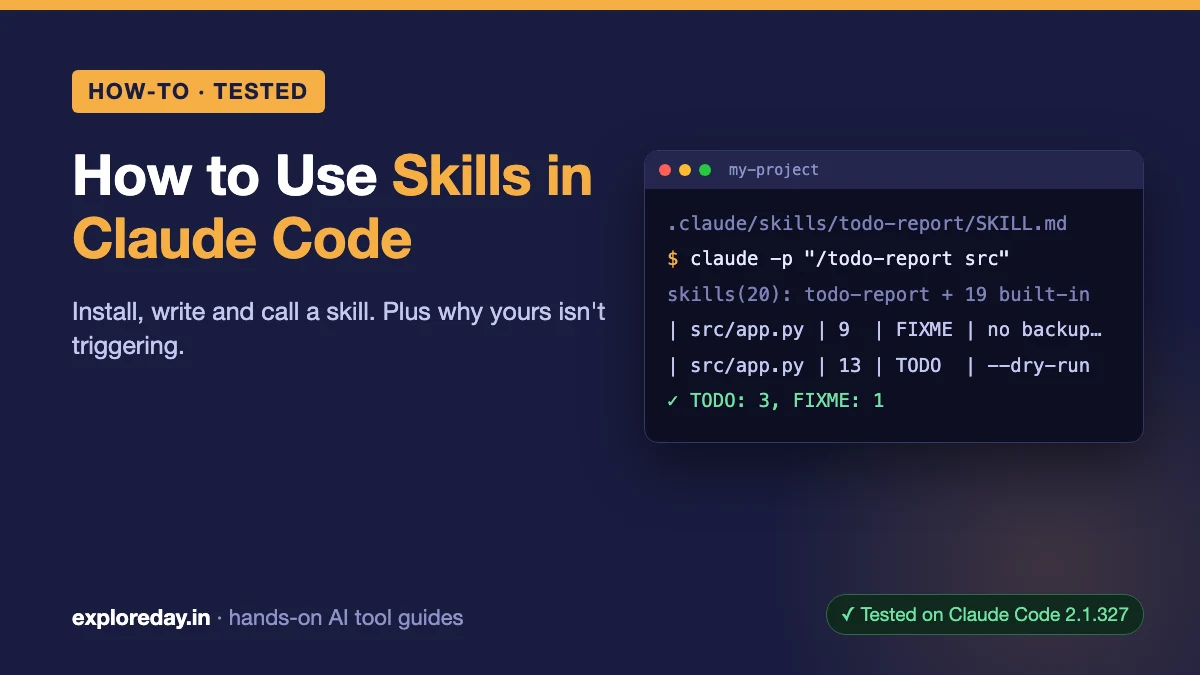
Every run used --setting-sources project,local --strict-mcp-config --permission-mode default to keep my own settings, skills and MCP servers out. Run 1 asked claude -p "What TODOs are left in this project?":
CALL Skill {"skill":"todo-report"}
RESULT is_error=false: Launching skill: todo-report
...
| File | Line | Type | Note |
|------|------|------|------|
| src/app.py | 4 | TODO | validate the schema before returning |
| src/app.py | 9 | FIXME | this overwrites the file without a backup |
| src/app.py | 13 | TODO | add a --dry-run flag |
| src/utils.py | 2 | TODO | handle non-ASCII characters |

TODO: 3, FIXME: 1

Report format: todo-report skill v1
Run 2 typed claude -p "/todo-report src" and made no Skill call at all. The skill text went straight into the prompt, and src replaced $ARGUMENTS:
CALL Bash {"command":"grep -rnE \"TODO|FIXME\" --exclude-dir=.git --exclude-dir=.claude src","description":"Search src for TODO and FIXME comments"}
...
FINAL subtype=success turns=2 duration_ms=4151 cost_usd=0.0658312 permission_denials=0
For skills with side effects, such as a deploy, add disable-model-invocation: true. Then only you can start the skill.
Claude Code skill not triggering? What broke mine
My skill failed for three reasons: a vague description, a permission check caused by allowed-tools, and an untrusted folder. Every run used the same question, except run 2:
| Run | Setup | Did the skill run? |
|---|---|---|
| 1 | First draft: clear description, no allowed-tools |
Yes, picked automatically |
| 2 | File above, typed /todo-report src |
Yes |
| 3 | Description set to “Code helper.” | No. Claude did the job itself |
| 4 | Clear description again (with a colon), plus allowed-tools |
Picked, then blocked |
| 5 | Run 4, plus an allow rule in .claude/settings.json |
Still blocked |
| 6 | Run 4, plus an allow rule in .claude/settings.local.json |
Yes |
1. The description is too vague
In run 3, Claude found my SKILL.md while grepping, then answered without it: no totals line, no marker. Put the user’s own words in the description, such as “TODOs, FIXMEs, leftover work”.
2. allowed-tools makes Claude ask first
Run 4 stopped with this message:
PERMISSION_DENIED Skill: Execute skill: todo-report. The user can add the allow rule Skill(todo-report) to .claude/settings.local.json to let it run without asking.The tools reference says the Skill tool “can prompt for skills that set allowed-tools, disallowed-tools, or hooks“. Interactively that means a prompt, and in claude -p a refusal. Run 1 had no allowed-tools, and nothing stopped it.
3. Project allow rules wait for folder trust
Run 5 put "allow": ["Skill(todo-report)"] in .claude/settings.json. It printed:
Ignoring 1 permissions.allow entry from .claude/settings.json: this workspace has not been trusted.In run 6, the same rule in .claude/settings.local.json worked. The permissions docs explain this: shared allow rules apply only after you accept the trust dialog.
Other checks
- Name the file exactly
SKILL.md, inside a folder of its own. - Run
/skill-doctorto see whether the skill loaded at all. - With many skills, Claude Code drops some descriptions to fit about 1% of the context window. The least-used go first, and each description is capped at 1,536 characters (docs).
- The docs suggest
--debugto see frontmatter parse errors. I didn’t need it.
Best skills for Claude Code (the ones I checked)
Anthropic’s anthropics/skills repo is the only collection I installed and measured, so this is a shortlist, not a ranking. The token figures come from claude plugin details.
| Skill | Plugin | What it does | Tokens: listing / when used |
|---|---|---|---|
| skill-creator | example-skills | Writes skills, runs evals, tunes descriptions | ~90 / ~8.2k |
| frontend-design | example-skills | Visual direction for new UI | ~60 / ~2.3k |
| webapp-testing | example-skills | Tests local web apps with Playwright | ~60 / ~890 |
| mcp-builder | example-skills | A guide to building MCP servers | ~80 / ~2.7k |
| pdf, docx, xlsx, pptx | document-skills | Reads and creates PDFs and Office files | ~110–240 / ~1.6k–6.8k each |
The whole example-skills plugin (12 skills) adds about 939 tokens to every session, and document-skills (4 skills) adds about 759. I installed and measured these but didn’t run any of them on a task.
Check dependencies first. webapp-testing writes Python Playwright scripts, and docx lists pandoc, LibreOffice and Poppler.
What didn’t work / gotchas
- There was no Grep tool. My first SKILL.md said “use the Grep tool”. On macOS, Claude Code leaves Grep out of its tools by default (docs). So Claude ran
grep | sortin Bash, and thesortpart needed approval. Spelling out the exact command fixed it. - A colon in the description. “Use when: the user asks…” passed
claude plugin validateand still triggered. A strict YAML parser (PyYAML) rejected it: “mapping values are not allowed here”. Anthropic’s ownxlsxskill puts its description in quotes, and you should too. - Plugins don’t copy into
.claude/skills. Project scope only added two keys to.claude/settings.json. The plugin files went to the plugin cache in the config folder. - Scripts need stdin closed. One
claude -prun warned “no stdin data received in 3s”. Add< /dev/nullin scripts. - Sandbox prompts are a separate setting. If your skill’s Bash commands still ask for approval, check the sandbox auto-allow setting.
- Cost: the six
claude -pruns cost $0.35 in total.
FAQ
Do I need to restart Claude Code after adding a skill?
No, according to the docs. Claude Code watches skill folders and picks up changes in the running session. Only a newly created top-level skills folder needs /reload-skills.
Are custom slash commands and skills the same thing?
They have been merged. Files in .claude/commands/ still work. If a skill and a command share a name, the skill wins.
Can a skill run a script?
Yes. Put the script in the skill folder, for example scripts/, and reference it as ${CLAUDE_SKILL_DIR}/scripts/... in SKILL.md. The docs show this pattern with a Python script.
Can I use the same skill outside Claude Code?
Yes. Skills follow the open Agent Skills standard. claude.ai and the API accept only name, description, license, compatibility, metadata and allowed-tools, so remove any fields that only Claude Code uses before you upload.