Claude Code “Organization Has Disabled” Error: How to Fix
“Your organization has disabled Claude subscription access for Claude Code” means the Claude organization you’re signed in to won’t let Claude Code use a subscription login. The fastest fix: run claude auth status --text to see the active account, then sign in with the one that has your plan.
Your organization has disabled Claude subscription access for Claude Code · Use an Anthropic API key instead, or ask your admin to enable accessQuick fix: Run claude auth status --text. If it names the wrong account or a variable like CLAUDE_CODE_OAUTH_TOKEN, unset it or run /logout then /login with the right account. If the account is right, ask your Team admin or Anthropic support, and use a Console API key meanwhile.
Tested on: Claude Code 2.1.327, macOS 26.7.1 (Apple Silicon), 19 November 2026. Every command below was run for this guide and the outputs are copied from that run. Drafted with AI assistance (Claude) and checked against the official docs linked in the text. My account isn’t blocked, so the error text itself comes from the official docs and GitHub reports.
Fix it in order
- See which login is active:
claude auth status --text(or/statusinside a session). - Remove a leftover token: if it shows
Auth token: CLAUDE_CODE_OAUTH_TOKEN, rununset CLAUDE_CODE_OAUTH_TOKENand delete it from your shell profile. - Switch to the right account:
/logout, restartclaude, then/loginand pick the account that pays for Pro or Max. - Check billing: open claude.ai/settings. Fix an expired card or unpaid invoice, then sign in again.
- Work account: ask your Team or Enterprise admin to enable Claude Code access.
- Personal account, still blocked: contact Anthropic support. Meanwhile, use an API key with
claude auth login --console.
What does “Your organization has disabled Claude subscription access for Claude Code” mean?
It means the organization behind your login blocks subscription sign-in for Claude Code. The errors reference calls it “a server-side organization setting”. Local settings, environment variables and CLI flags can’t override it.
Personal plans have an organization too, auto-named “<your email>’s Organization”. In claude -p and the Agent SDK, the error code is oauth_org_not_allowed (an HTTP 403 from the API, per logs in #63685).
How do I check which login Claude Code is using?
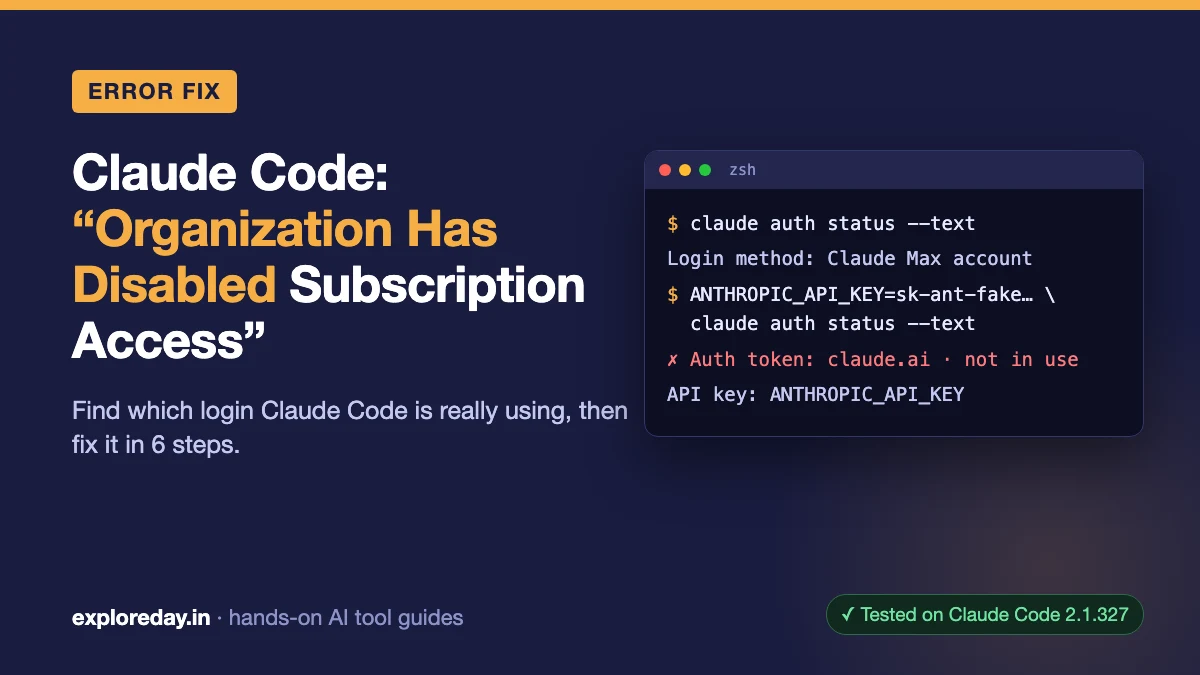
claude auth status --text prints the credential Claude Code will use, without starting a session (CLI reference). Here’s my normal login, redacted:
$ claude auth status --text
Login method: Claude Max account
Organization: <your org name>
Email: you@example.com
Sign-in ends: between 2026-11-26 and 2026-11-29 (2026-11-29T16:21:36.266Z)
The Organization line names the organization the error refers to. If you don’t pay through it, go to step 3. Here’s what an override looks like, using fake values for one command each:
$ ANTHROPIC_API_KEY=sk-ant-fake-for-test claude auth status --text
Auth token: claude.ai · not in use
API key: ANTHROPIC_API_KEY

$ CLAUDE_CODE_OAUTH_TOKEN=fake-token-for-test claude auth status --text
Auth token: CLAUDE_CODE_OAUTH_TOKEN
“Not in use” means your login is saved, but something else is in charge. In the JSON version, authMethod changed from claude.ai to api_key or oauth_token.
ANTHROPIC_AUTH_TOKEN, ANTHROPIC_API_KEY, apiKeyHelper (a script that prints a key) and CLAUDE_CODE_OAUTH_TOKEN all beat /login (precedence docs). To find leftovers without printing values:
$ env | grep -E '^(ANTHROPIC_|CLAUDE_CODE_OAUTH_TOKEN)' | cut -d= -f1
$ grep -c -E 'ANTHROPIC_|CLAUDE_CODE_OAUTH_TOKEN' ~/.zshrc ~/.bashrc ~/.profile
/Users/you/.bashrc:0
/Users/you/.profile:0
/Users/you/.zshrc:0
$ grep -c -E 'apiKeyHelper|ANTHROPIC_|CLAUDE_CODE_OAUTH_TOKEN' ~/.claude/settings.json
0
On my Mac, nothing was set. Any non-zero count is a line to delete.
Am I signed in to the wrong account?
An old login for another account is the cause people most often fixed themselves on GitHub. In #107119, one email held a cancelled personal account and a company account. Claude Code kept using the cancelled one.
Run /logout, restart, then /login with the account that has the plan. Three people in #63886 said re-login fixed it.
Scripts can hit this too. A CLAUDE_CODE_OAUTH_TOKEN from claude setup-token outranks /login, and can come from a different organization.
Did my work admin turn off subscription access?
On a Team or Enterprise plan, that is the documented meaning. Running /login again with the same account returns the same error (errors reference).
Ask your admin to enable Claude Code access. Or sign in with a Console API key (claude auth login --console), billed per use. Admins who see no option should contact support.
Can a failed payment cause this error?
Yes, billing problems surface as this exact message in several reports. Causes include an expired card at renewal (#58598) and an account stuck as “past due” after a paid invoice (#64480).
Check your plan at claude.ai/settings. After one billing fix, the CLI worked at once, but Claude Desktop needed a full sign-out and sign-in (#62303).
What if nothing works on a personal Pro or Max plan?
A wrongly flagged personal organization is an open bug with no local fix. You’re the only member of that organization, so there’s no admin to ask (#82700, #109155).
Signs: right account, no override, billing paid, and re-login changes nothing. Affected users also see an Organization policy line with “Couldn’t load” and HTTP 403 in /status. My healthy login shows this instead:
$ claude doctor
...
Managed settings (remote): not fetched — requires an Enterprise or Team subscription
Organization policy: not applicable to individual subscription plans
Contact support.claude.com and mention oauth_org_not_allowed. First replies come from an AI agent, and one person waited five weeks for a human (#82700). Use an API key meanwhile.
Is this the same as “This organization has been disabled”?
No, that’s a different error with a different fix:
| Message | Usual cause | Fix |
|---|---|---|
Your organization has disabled Claude subscription access |
Your login’s organization blocks subscription use | This page |
This organization has been disabled |
Stale ANTHROPIC_API_KEY, or a suspended account |
Unset the key |
Your organization has disabled API key authentication |
Console org turned off API keys | Unset the key, then /login |
Invalid API key · Fix external API key |
A bad key in your environment | Unset or replace it |
The last row is what my fake key produced in a real request. --setting-sources project,local kept my own settings out, as in my sandbox tests:
$ ANTHROPIC_API_KEY=sk-ant-fake-for-test claude -p "say ok" --max-turns 1 --setting-sources project,local
⚠ claude.ai connectors are disabled because ANTHROPIC_API_KEY or another auth source is set and takes precedence over your claude.ai login · Unset it to load your organization's connectors
Invalid API key · Fix external API key

$ claude -p "say ok" --max-turns 1 --setting-sources project,local < /dev/null
ok
The key also switched off claude.ai connectors (MCP servers you linked on claude.ai). The warning names only those, not servers you added with claude mcp add.
What didn’t work / gotchas
auth statusdoesn’t test the credential. A fake token still showed"loggedIn": true. Only a real request failed:401 Invalid bearer token.- Re-login with the same account can’t fix a server-side block. It helps only if you pick another account.
- Each
CLAUDE_CONFIG_DIRhas its own login. An empty one gave me"loggedIn": false. Check status through the alias you use. - Leftover work policies: on Windows, an old
HKLM:\SOFTWARE\Policies\Claudepolicy blocked the Desktop app until deleted (#63685). forceLoginOrgUUIDin managed settings gives a different startup error. On a Mac, check/Library/Application Support/ClaudeCode/. Mine didn’t exist.
FAQ
Why does claude.ai work but Claude Code doesn’t?
The setting covers Claude Code sign-in only. In most reports, chat on the same account kept working.
Who is the admin on a personal Pro account?
You are, and there’s no toggle for it. If billing is fine and re-login fails, only Anthropic support can clear the flag.
Can I use an API key instead of my subscription?
Yes. Run claude auth login --console or set ANTHROPIC_API_KEY. Usage is billed per token, on top of your plan.
Will reinstalling Claude Code fix it?
No. People deleted ~/.claude and signed in again with no change (#75944). The check happens on Anthropic’s servers.
Sources
- Claude Code errors reference: subscription access disabled
- Claude Code docs: Authentication precedence
- Claude Code CLI reference: claude auth status
- Claude Code troubleshooting: Login and authentication
- Claude Code docs: Managed settings
- GitHub #82700: personal Pro blocked (open)
- GitHub #72027: entitlement sync bug
- GitHub #8327: ANTHROPIC_API_KEY overriding a subscription