Claude Code “Error Editing File”: Causes and Fixes
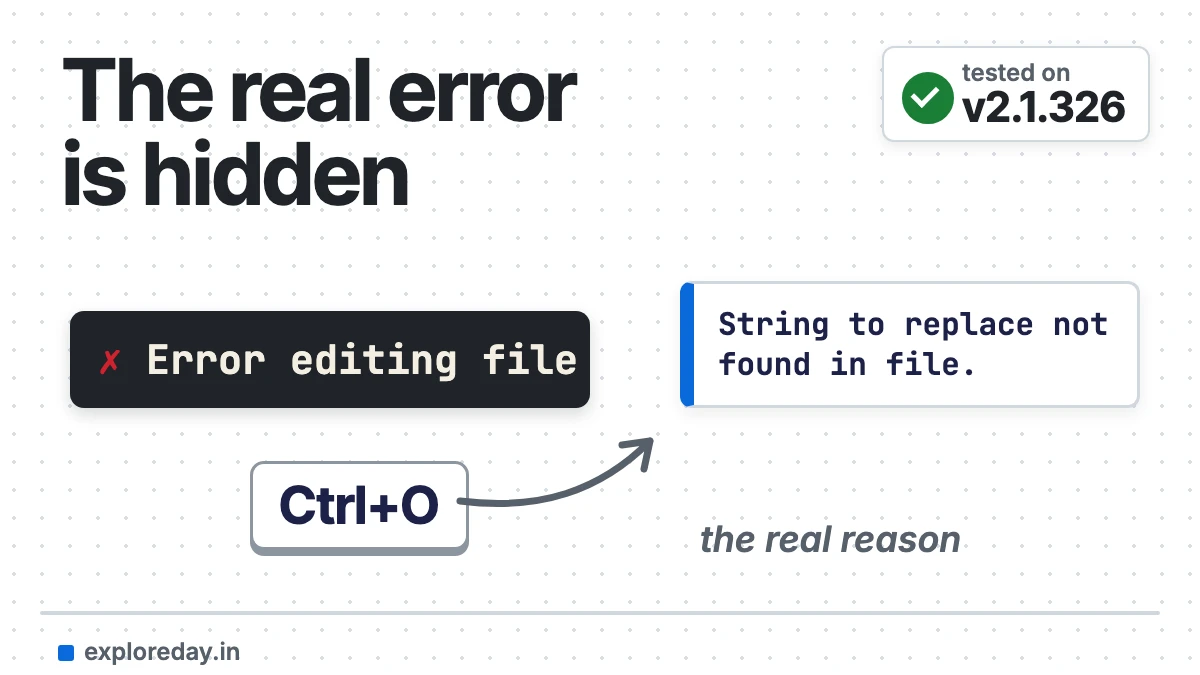
“Error editing file” is the short label Claude Code prints when one of its Edit tool calls fails. It isn’t the actual error. The full reason goes to Claude as the tool result, and you can read it by pressing Ctrl+O to open the transcript view. Usually Claude re-reads the file and retries by itself, so you only need to act when the same edit keeps failing.
Below are the real messages behind the label, quoted from Anthropic’s docs and GitHub issues, with the cause and fix for each. I reproduced them in a throwaway folder.
Tested on: Claude Code 2.1.326, macOS (Apple Silicon), 17 November 2026. Every command below was run for this guide and the outputs are copied from that run. Drafted with AI assistance (Claude) and checked against the official docs linked in the text.
$ claude --version
2.1.326 (Claude Code)
$ sw_vers -productVersion && uname -m
26.7.1
arm64
First, read the real error (Ctrl+O)
Claude Code’s error reference puts it plainly: for a blocked file edit, the conversation shows only a short Error editing file line, and the full message is in the transcript view, which Ctrl+O toggles (interactive mode docs). GitHub reports such as #11447 show the same label for text that didn’t match.
In scripts, claude -p --output-format stream-json --verbose prints each failed call as a tool_result with is_error: true and the full text.
Fixes table: message, cause, fix
| Message behind “Error editing file” | Cause | Fix |
|---|---|---|
String to replace not found in file. (#49034) |
The text doesn’t match the file exactly: tabs vs spaces, line endings, a typo, or the file changed. | Have Claude re-read the exact lines. |
Found 2 matches of the string to replace, but replace_all is false. (#3337) |
The text appears more than once. | Add surrounding lines, or say “replace all”. |
File has been modified since read, either by the user or by a linter. (#48390) |
The file changed after Claude read it: an editor save, a formatter, a git command. | Re-read. Pause format-on-save. |
File has been unexpectedly modified. Read it again before attempting to write it. (#13456) |
A related staleness check. Reports show it firing falsely on files with Windows (CRLF) line endings. | claude update; see cause 1 for CRLF. |
File has not been read yet. Read it first before writing to it. (#73281) |
Claude hasn’t read the file, or only saw a partial page of a big one. | Let it read the relevant lines first. |
File is not valid UTF-8: it uses a legacy encoding such as Windows-1252, Shift-JIS or GBK, or it is binary. (docs) |
Legacy encoding or invalid bytes. | Convert to UTF-8, or edit with a shell command. |
File is covered by a Read deny rule in your permission settings and cannot be edited. (docs) |
A Read deny rule matches the path. |
Change the rule in /permissions. |
EPERM: operation not permitted, open '…' (#105990) |
The OS refused the write: macOS privacy controls (Full Disk Access), a file owned by another user, or the Windows bug in that issue. | Fix permissions; restart after an update. |
One false alarm: if you answer a permission prompt with extra text (“Yes, and…”), Claude Code can show Error editing file when nothing failed (#31998).
The causes, one by one
1. The text doesn’t match exactly
Edit does exact string replacement, with no regex or fuzzy matching. The tools reference says “a single character of whitespace or indentation difference is enough to miss”. Asking for an edit with text that isn’t in the file gave me this:
CALL Read  config.txt
RESULT:    1  color = blue
           2  size = 10
CALL Edit  old_string: "color = purple"  new_string: "color = green"
RESULT is_error=true: <tool_use_error>String to replace not found in file.
String: color = purple</tool_use_error>
Note that the error repeats the text Claude looked for but doesn’t show what the file actually contains, so the fix is always “re-read the exact lines”.
Tabs are the classic trigger. Open issues #11447 and #26996 describe Read showing tabs as spaces, so the model sends spaces and the match fails. My multi-line edit on a tab-indented Go file:
$ cat -et server.go     (^I = tab)
func start(cfg Config) {$
^Iif cfg.Debug {$
^I^Ilog.Println("debug on")$
^I}$
^Iserve(cfg.Port)$
}$
CALL Edit  old_string: "\tserve(cfg.Port)\n}"
           new_string: "\tif cfg.Port != 0 {\n\t\tserve(cfg.Port)\n\t}\n}"
RESULT is_error=false: The file .../server.go has been updated successfully.
$ cat -et server.go
^Iif cfg.Port != 0 {$
^I^Iserve(cfg.Port)$
^I}$
On 2.1.326 the tab-indented edit worked first time, and Claude checked the result with cat -et to make sure the tabs survived. If you hit the tabs-vs-spaces failure from the older issues, update Claude Code first.
And a file with Windows (CRLF) line endings, edited on macOS:
$ file crlf.txt
crlf.txt: ASCII text, with CRLF line terminators
CALL Bash  od -c crlf.txt                      # Claude checked the line endings first
CALL Bash  perl -pi -e 's/line two/line 2/' crlf.txt && od -c crlf.txt
RESULT: ...  l  i  n  e     2  \r  \n  ...       # CRLF kept
Interesting: Claude didn’t use the Edit tool for the CRLF file at all. It inspected the bytes, then used a one-line perl substitution so the Windows line endings stayed intact. So I couldn’t reproduce the CRLF false positive from issue #13456 on macOS. If you’re on Windows and see it, claude update and re-read the file.
Fix: ask Claude to re-read the lines and copy them exactly. If your project uses tabs or CRLF on purpose, say so in CLAUDE.md (see my CLAUDE.md best practices). If Claude falls back to sed or Python, as #11447 shows, check git diff.
2. The text matches more than once
old_string must appear exactly once unless Claude sets replace_all: true:
CALL Edit  old_string: "status: TODO"  new_string: "status: DONE"
RESULT is_error=true: <tool_use_error>Found 2 matches of the string to replace, but replace_all is false.
To replace all occurrences, set replace_all to true. To replace only one occurrence, please provide
more context to uniquely identify the instance.
String: status: TODO</tool_use_error>
Fix: usually none; Claude retries with a longer snippet. If it loops, say which occurrence you mean, or “replace all”.
3. The file changed after Claude read it
Since v2.1.208, an edit still applies to a changed file if the target text matches the current content exactly once; otherwise Claude must re-read (tools reference). I changed the file with sed between two runs, like an editor save. First on the same line Claude wanted:
# run 1: Claude reads notes.txt (line 2 is "version = 1")
# outside Claude: sed changes it to "version = 2"
# run 2 (--continue), without re-reading:
CALL Edit  old_string: "version = 1"  new_string: "version = 3"
RESULT is_error=true: <tool_use_error>String to replace not found in file.
String: version = 1</tool_use_error>

$ cat notes.txt
name = demo
version = 2
On 2.1.326 there was no “File has been modified since read” message here. The stale edit simply failed as “String to replace not found”, and my change on disk survived. Watch out for one thing: Claude’s own explanation was wrong. It blamed capitalisation (“Version” vs “version”), because its earlier reply had capitalised the line. If an edit fails after something else touched the file, don’t trust a guess: tell it to re-read the file.
Then on a different line:
# run 1: Claude reads notes2.txt
# outside Claude: sed changes line 1 ("name = demo" -> "name = renamed")
# run 2 (--continue), without re-reading:
CALL Edit  old_string: "version = 1"  new_string: "version = 3"
RESULT is_error=false: The file .../notes2.txt has been updated successfully.

$ cat notes2.txt
name = renamed
version = 3
When the outside change was on a different line, the edit went through and both changes were kept, which is the v2.1.208 behaviour the docs describe. No extra note about the other change appeared in the result.
Fix: turn off format-on-save while Claude works on a file, and don’t save it yourself mid-task. A re-read clears the error. Issue #48390 reports it after Claude’s own back-to-back edits too. The same applies to an Obsidian vault: Obsidian saves as you type, so don’t edit the note Claude is changing (more in my Claude Code + Obsidian guide).
4. Claude hasn’t read the file, or only part of it
Per the tools reference, Claude Opus 4.6, Claude Haiku 4.5 and older models must read a file before editing it. Newer models can skip that when reading needs no permission prompt, and cat, head, grep or sed -n count as reading. A PARTIAL view doesn’t count, and one Read returns at most 25,000 tokens, so big files trigger this most.
Fix: point Claude at the right range (“read lines 400–520, then edit”), or split huge files.
5. Permissions and read-only files
A file without write permission (mode 444) in a writable folder:
$ chmod 444 locked.txt && ls -l locked.txt
-r--r--r--  1 you  staff  14 17 Nov 16:39 locked.txt
CALL Edit  locked.txt  "owner = alice" -> "owner = bob"
RESULT is_error=false: The file .../locked.txt has been updated successfully.
$ cat locked.txt
owner = bob

# same test with CLAUDE_CODE_PERFORCE_MODE=1
CALL Edit  locked2.txt  "owner = alice" -> "owner = bob"
RESULT is_error=true: <tool_use_error>File is read-only — it has not been opened for edit in Perforce.
Run `p4 edit <file>` to check it out, then retry. Do not chmod the file writable; that bypasses
Perforce tracking.</tool_use_error>
$ cat locked2.txt
owner = alice
This surprised me: by default, Claude Code edited a read-only (444) file with no error at all, and the file kept its -r--r--r-- mode. Only with Perforce mode on did it refuse. So read-only permissions are not a safety net. Use a deny rule (shown below) for files Claude must never touch.
If you want those files protected, CLAUDE_CODE_PERFORCE_MODE=1 makes Edit and Write refuse files without the owner-write bit (env vars docs). A read-only folder didn’t stop it either. The file inside was still writable and Claude Code writes in place, so the edit went through:
$ ls -ld ro
dr-xr-xr-x  3 you  staff  96 17 Nov 16:39 ro
CALL Edit  ro/file.txt  "owner = alice" -> "owner = bob"
RESULT is_error=false: The file .../ro/file.txt has been updated successfully.
$ cat ro/file.txt
owner = bob
And a deny rule blocks the edit before any file access:
# .claude/settings.json: "permissions": { "deny": ["Read(./app.env)"] }
CALL Read  app.env
RESULT is_error=true: <tool_use_error>File is in a directory that is denied by your permission settings.</tool_use_error>
CALL Edit  app.env  "localhost" -> "127.0.0.1"
RESULT is_error=true: <tool_use_error>File is covered by a Read deny rule in your permission settings and cannot be edited.</tool_use_error>
$ cat app.env
API_URL=http://localhost:8080
This is the one protection that actually held in my tests. A deny rule blocked both the read and the edit, and the file was untouched.
Fix: if you see EPERM, check who owns the file and your macOS privacy settings; if it’s a deny rule, adjust it in /permissions. On macOS, a session that suddenly gets EPERM in ~/Desktop after an auto-update needs a restart (#102845).
6. The file isn’t UTF-8
CALL Read  latin1.txt
RESULT: 1  caf� = open
[This file is not valid UTF-8 ... Edit and Write will refuse it: change it with a shell command
that keeps its encoding, or ask the user whether to convert it to UTF-8.]
CALL Edit  "open" -> "closed"
RESULT is_error=true: <tool_use_error>File is not valid UTF-8: it uses a legacy encoding such as
Windows-1252, Shift-JIS or GBK, or it is binary. These tools write UTF-8 (or UTF-16LE behind its
byte-order mark) and never convert a file's encoding on their own, so nothing was written. If the
file is text, make the change with a shell command that reads and writes it in its own encoding
(iconv, or PowerShell Get-Content/Set-Content -Encoding), or ask the user whether to convert it to
UTF-8 first. To replace the whole file with new UTF-8 text anyway, delete it first, then Write it.</tool_use_error>
Since v2.1.296, Edit refuses these files instead of replacing unreadable bytes with U+FFFD. Fix: convert the file to UTF-8 if that’s safe, or let Claude use a shell command that keeps the encoding.
How to prevent it
- Update with
claude update. Recent releases fixed stale-file edits (2.1.208) and CRLF edits in the VS Code diff view (2.1.267). - One writer per file. No editor saves, watchers or formatters on a file Claude is editing.
- Write conventions down. Tabs, CRLF and generated files belong in CLAUDE.md.
- Check which tool failed. If the call carries an MCP server’s name, such as the filesystem server’s
edit_file, the error comes from that server. See how to add and manage MCP servers in Claude Code.
FAQ
Did “Error editing file” break my file?
No. The match, uniqueness and read checks run before anything is written, and a refused edit leaves the file as it was. git diff confirms it.
Why does Claude keep failing on the same edit?
Usually tabs versus spaces, line endings, or a file something else keeps rewriting. Press Ctrl+O, find the message, and use the table above.
How do I report a new edit bug?
Search the anthropics/claude-code issues, then run /bug in Claude Code with the exact message and your claude --version.
More Claude Code fixes
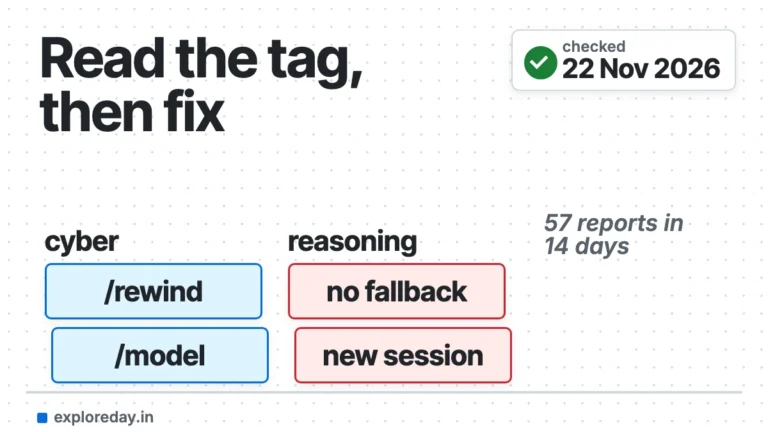
- "Safeguards flagged this message": what the Details tag means, and the fix for each.
- "Your organization has disabled Claude subscription access": check which account is active, then fix it.
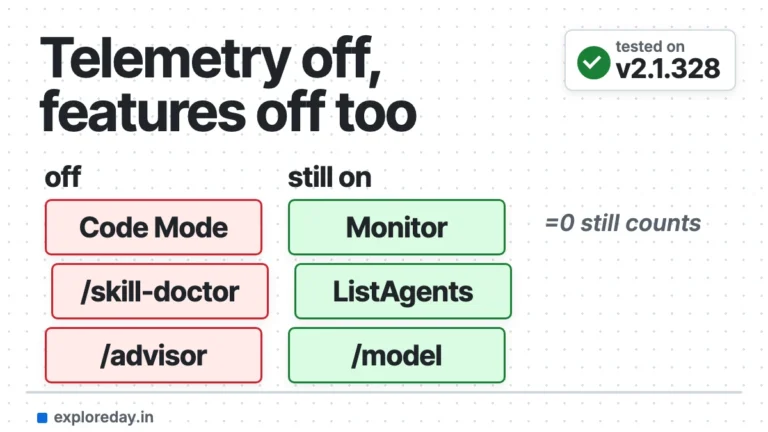
- DISABLE_TELEMETRY in Claude Code: the features it switches off, and how to get them back.
- Sandbox asking before every command since 2.1.325: the one setting that stops it.
Sources
- Claude Code docs: Tools reference, Edit tool behavior
- Claude Code docs: Error reference
- Claude Code docs: Interactive mode (Ctrl+O)
- Claude Code docs: Environment variables
- Claude Code changelog
- GitHub: anthropics/claude-code issues (#3337, #11447, #13456, #26996, #31998, #48390, #49034, #73281, #102845, #105990)