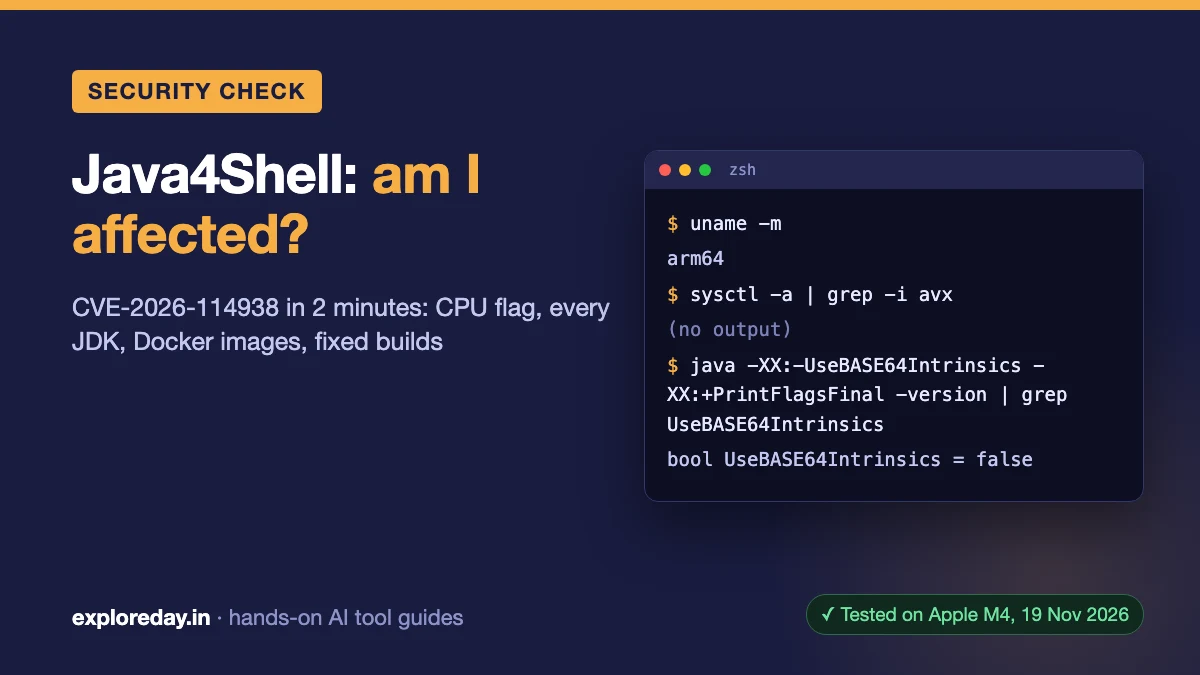
Java4Shell (CVE-2026-114938): Am I Affected? 2-Minute Check
Java4Shell (CVE-2026-114938) is a remote code execution bug in the Base64 decoder of OpenJDK 17 and later, disclosed on 17 November 2026. You’re affected only if a Java 17+ runtime runs on an x86-64 CPU with AVX-512 VBMI and has no fix yet. Here’s the 2-minute check I ran, plus Linux, Windows and Docker commands.
Quick answer: As of 19 Nov 2026, you’re exposed only if you run Java 17+ on an x86-64 CPU with avx512vbmi, without a fixed build. ARM64 machines, including Apple Silicon, aren’t affected. The Java4Shell fix is 17.0.21.1, 21.0.13.1, 25.0.5.1 or 27.0.1.1; until then, start Java with -XX:-UseBASE64Intrinsics.
Advisories are still changing; check the vendor links below before you rely on this. Every status here is dated 19 Nov 2026.
Tested on: Claude Code 2.1.327, macOS 26.7.1 (Apple M4), JetBrains Runtime 21.0.11, 19 November 2026. Commands shown with output were run for this guide and copied from that run; the rest come from the cited sources. Drafted with AI assistance (Claude) and checked against the official advisories linked in the text.
Java4Shell check in 2 minutes
- Check the CPU (Linux):
grep -m1 '^flags' /proc/cpuinfo | tr ' ' '\n' | grep -E '^(avx512f|avx512bw|avx512vbmi|bmi2)$'. All four printed means an exposed CPU. On a Mac,uname -mprintingarm64means not affected. - Ask the JVM (any OS):
java -Xlog:os+cpu -version 2>&1 | grep -o avx512_vbmi(Windows:findstr avx512_vbmi). No output means this JVM won’t use VBMI. - List every JDK with the
findloop below, not justjava -version. - Compare each Java 17+ version with the Java4Shell patch table.
- Check containers:
docker exec <container> java -version. - Can’t patch today? Add
-XX:-UseBASE64Intrinsics, restart, then confirm with Keycloak’s check:jcmd <pid> VM.flags -all | grep -F UseBASE64Intrinsics.
What is Java4Shell?
Java4Shell is an OpenJDK bug: heap memory corruption in HotSpot’s x86-64 Base64 “intrinsic” (a CPU-specific fast path). Crafted Base64 input can crash the JVM or run code without a login (CISA). Calif, who found it, showed pre-auth RCE on default Keycloak, Jira, Confluence, Artifactory, Jenkins and PingFederate.
Oracle and OpenJDK score it 8.1 (CVSS 3.1); Calif says 9.2 (CVSS 4.0). On 18 Nov, Tenable cited exploit attempts but no confirmed success. “java2shell” is a common misspelling.
Am I affected by Java4Shell?
Only when all three conditions hold:
| Check | Affected | Not affected |
|---|---|---|
| Java | 17, 21, 25, 27 lines; Oracle’s 8u511 Performance Pack | Standard Java 8 and 11 |
| CPU | x86-64 with AVX-512 VBMI, e.g. Intel Xeon Ice Lake to Granite Rapids, AMD Zen 4+ | ARM64; x86-64 without VBMI |
| Build | Older than the fixed builds below | A fixed build |
Sources: OpenJDK, Oracle, Adoptium, Calif. Qualys warns a cloud VM can move to a newer CPU after a resize. Use the CPU check to rank work, not skip patching.
How do I check for AVX-512 VBMI?
The avx512vbmi CPU flag is the hardware condition. On my M4 Mac there’s nothing to find:
$ uname -m
arm64
$ sysctl -n machdep.cpu.brand_string
Apple M4
$ sysctl -a | grep -i avx
(no output, exit code 1)
$ java -Xlog:os+cpu -version 2>&1 | head -1
[0.003s][info][os,cpu] CPU: total 10 (initial active 10) 0x61:0x0:0x6f5129ac:0, fp, asimd, aes, pmull, sha1, sha256, crc32, lse, sha3, sha512
$ java -XshowSettings:properties -version 2>&1 | grep os.arch
os.arch = aarch64| Platform | Command | Run here? |
|---|---|---|
| Mac, Apple Silicon | uname -m (arm64 = not affected) |
Yes |
| Mac, Intel | sysctl -a | grep -i avx512vbmi |
No |
| Linux | Calif’s four-flag grep (step 1) |
No |
| Windows | java -Xlog:os+cpu -version 2>&1 | findstr avx512_vbmi |
No |
| Any OS | java -Xlog:os+cpu -version 2>&1 | grep -o avx512_vbmi |
Yes (empty) |
That log line lists the CPU features HotSpot will use; the HotSpot source calls this one avx512_vbmi. No advisory I read gives a Windows command, and Coreinfo‘s sample output has no VBMI row.
How do I list every installed JDK?
Every JDK on disk counts, not just the one on your PATH. /usr/libexec/java_home -V found only one on my Mac:
$ /usr/libexec/java_home -V
Matching Java Virtual Machines (1):
    21.0.11 (arm64) "JetBrains s.r.o." - "JBR-21.0.11+10-1163.116-nomod 21.0.11" /Users/you/Library/Java/JavaVirtualMachines/jbr-21.0.11/Contents/Home
A plain find turned up two Homebrew JDKs it missed:
$ find /Applications ~/Library /Library/Java /opt/homebrew /usr/local -type f -path '*/bin/java' 2>/dev/null |
    while read -r j; do echo "== $j"; "$j" -version 2>&1 | head -2; done
== /opt/homebrew/Cellar/openjdk@17/17.0.21/libexec/openjdk.jdk/Contents/Home/bin/java
openjdk version "17.0.21" 2026-10-20
OpenJDK Runtime Environment Homebrew (build 17.0.21+0)
== /opt/homebrew/Cellar/openjdk@21/21.0.13/libexec/openjdk.jdk/Contents/Home/bin/java
openjdk version "21.0.13" 2026-10-20
OpenJDK Runtime Environment Homebrew (build 21.0.13)
== /Users/you/Library/Java/JavaVirtualMachines/jbr-21.0.11/Contents/Home/bin/java
openjdk version "21.0.11" 2026-04-21
OpenJDK Runtime Environment JBR-21.0.11+10-1163.116-nomod (build 21.0.11+10-b1163.116)
None is a fixed build. This Mac isn’t exposed: Calif says “ARM64 CPUs are not affected”. On Linux, point the loop at /usr/lib/jvm, /opt, ~/.sdkman and ~/.gradle/jdks.
Java4Shell fix and patch status by vendor
The CVE-2026-114938 fix ships in the “.1” releases from 17 November. Status as of 19 Nov 2026, 01:00 IST:
| Vendor | Fixed builds | Status |
|---|---|---|
| Oracle JDK | 17.0.21.1, 21.0.13.1, 25.0.5.1, 27.0.1.1 | Released 17 Nov (release notes) |
| Eclipse Temurin | 17.0.21.1+2, 21.0.13.1+2, 25.0.5.1+2, 27.0.1.1+4 | Rolling out; on x64 Linux only 27 is out (status) |
| Amazon Corretto | 17.0.21.1.2, 21.0.13.1.2, 25.0.5.1.2 | Released; changelog lists the CVE |
| Homebrew | openjdk@17 17.0.21.1, openjdk@21 21.0.13.1 | Formulas build the same OpenJDK .1 tags |
| Debian | 21.0.13.1+2-1 etc. | Fixed in sid only (tracker) |
| Ubuntu | None yet | openjdk-17, -21, -25 “Vulnerable” (CVE page) |
For Microsoft, Azul, BellSoft, SAP and Red Hat, check the vendor; Tenable says Red Hat had none on 18 Nov. Eclipse Temurin Java4Shell catch: Docker Hub’s eclipse-temurin:21-jre was last updated 16 Nov. Its Dockerfile still sets JAVA_VERSION=jdk-21.0.13+9, so rebuilding today won’t get the fix.
Java4Shell mitigation: which JVM flag?
The interim mitigation is -XX:-UseBASE64Intrinsics, which turns off the affected fast path (Adoptium, Keycloak). Oracle and OpenJDK mention no flag, and Qualys warns some apps may slow down. It doesn’t replace the patch.
$ java -XX:-UseBASE64Intrinsics -XX:+PrintFlagsFinal -version 2>/dev/null | grep UseBASE64Intrinsics
     bool UseBASE64Intrinsics                      = false                                     {product} {command line}
$ JAVA_TOOL_OPTIONS=-XX:-UseBASE64Intrinsics java -XX:+PrintFlagsFinal -version 2>&1 | grep -E "Picked up|UseBASE64Intrinsics"
Picked up JAVA_TOOL_OPTIONS: -XX:-UseBASE64Intrinsics
     bool UseBASE64Intrinsics                      = false                                     {product} {environment}
JDK_JAVA_OPTIONS also worked, but the java man page ties it to the java launcher. Keycloak uses -e JAVA_OPTS_APPEND=-XX:-UseBASE64Intrinsics for containers.
Gotcha: -XX:UseAVX=2 didn’t fail on my ARM Mac
Calif’s second flag, -XX:UseAVX=2, is x86-64 only; Calif says ARM JVMs “will fail to start” with it. Mine started anyway:
$ java -XX:UseAVX=2 -version
openjdk version "21.0.11" 2026-04-21
(exit code 0)
$ java -XX:+PrintFlagsFinal -version 2>/dev/null | grep IgnoreUnrecognizedVMOptions
     bool IgnoreUnrecognizedVMOptions              = true                                      {product} {default}
$ java -XX:-IgnoreUnrecognizedVMOptions -XX:UseAVX=2 -version
Unrecognized VM option 'UseAVX=2'
Error: Could not create the Java Virtual Machine.
This JetBrains Runtime ignores unknown flags by default, so a mistyped mitigation would also pass silently. Confirm the live value with PrintFlagsFinal or jcmd. Orca adds that on Java 21+, the intrinsic still runs on AVX2 under UseAVX=2, so I’d use the Base64 flag.
Docker images: am I affected?
A container runs on the host’s CPU, so one image can be safe on an ARM64 host and exposed on an Ice Lake server. Check what’s actually running (Keycloak’s commands; I didn’t pull images here):
docker exec <container> java -version
kubectl exec <pod> -c <container> -- java -version
Rebuild and recreate them once your vendor ships a fixed image.
Inventory Java versions across your repos with Claude Code
Claude Code can read every repo in a folder and list each pinned Java version, using read-only tools. Save this as prompt.txt. To reuse it later, you can turn it into a Claude Code skill.
Find every place that pins a Java version in this folder and all subfolders. Read files only: don't run builds, install anything or edit files.

Look in: Dockerfiles and compose files (FROM lines, JDK installs), .java-version, .sdkmanrc, .tool-versions, mise.toml, pom.xml (maven.compiler.release/source/target, toolchains), build.gradle and build.gradle.kts (toolchain languageVersion, sourceCompatibility), gradle.properties, and CI files (.github/workflows, .gitlab-ci.yml, Jenkinsfile, azure-pipelines.yml).

Reply with one Markdown table: file:line | what it controls (production runtime, CI JDK, local JDK, or compile target only) | Java version as written | vendor or image.
Then, in at most 4 bullets: which entries decide the JVM that runs in production, and which are Java 17 or newer and need checking against the Java4Shell (CVE-2026-114938) fixed builds. Don't guess patch versions that aren't written in the files.
cd ~/code
claude -p "$(cat prompt.txt)" --tools "Read,Grep,Glob" < /dev/nullMy test repo had FROM eclipse-temurin:21-jre, a .java-version of 17.0.20, maven.compiler.release 17 and setup-java 17. Trimmed output (8 turns, 33 seconds):
| file:line | What it controls | Java version as written | Vendor or image |
|---|---|---|---|
| `demo-api/Dockerfile:1` | Production runtime | `21` (`FROM eclipse-temurin:21-jre`) | Eclipse Temurin, image `eclipse-temurin:21-jre` (JRE only) |
| `demo-api/.java-version:1` | Local JDK | `17.0.20` | Not stated (the file holds only a version) |
| `demo-api/pom.xml:7` | Compile target only (`maven.compiler.release`) | `17` | None: it uses whichever JDK runs Maven |
| `demo-api/.github/workflows/ci.yml:11` | CI JDK (`actions/setup-java@v4`) | `'17'` | Temurin (`distribution: temurin`, line 10) |

- **Production:** only `Dockerfile:1` decides the production JVM. It is Temurin 21 JRE, but `21-jre` is a floating tag with no patch version, so the build in production is whatever the tag pointed to when the image was built. […]
- **Version split:** production runs 21, while CI and local use 17. A fixed build for 17 alone won't cover production, and a fixed build for 21 won't cover CI or local.
It rightly treated maven.compiler.release as a bytecode level, not a JVM: compiling for 17 doesn’t expose you. Without < /dev/null, print mode waited 3 seconds for input. If you let it run docker too, read how Claude Code’s sandbox asks before Bash commands.
Where the sources disagree
- Lower bound: Calif says 17.0.6 or newer. OpenJDK lists “17.0.21.0.3 … and earlier”; Adoptium says “OpenJDK 17 and later”.
- Java 8 and 11: OpenJDK’s matrix leaves them unmarked; Adoptium says not affected; Oracle lists only its 8u511 Performance Pack. watchTowr‘s 17 Nov table also listed Oracle 11.0.33.
- Patch status: watchTowr and Orca (17 Nov) reported no confirmed fix; the advisories now list fixed builds.
- Flags: Orca calls both flags “unvalidated”. Upwind says
-XX:DisableIntrinsic=_base64_decodeBlockstops the JVM from starting. Mine refused it too: it’s a diagnostic option.
FAQ
Is my Mac affected by Java4Shell?
Apple Silicon Macs aren’t; the bug needs x86-64 AVX-512 VBMI. On an Intel Mac, run sysctl -a | grep -i avx512vbmi (untested here).
Is Java4Shell the same as Log4Shell?
No. Log4Shell was in the Log4j library. Java4Shell is in the JVM itself, so updating libraries won’t fix it.
Is there a CVE-2026-114938 proof of concept?
Calif published a PoC that triggers the flaw without taking control, per Tenable. Upwind says Calif is holding back product-specific exploits.