Claude Code Code Mode: What It Is and How to Turn It On
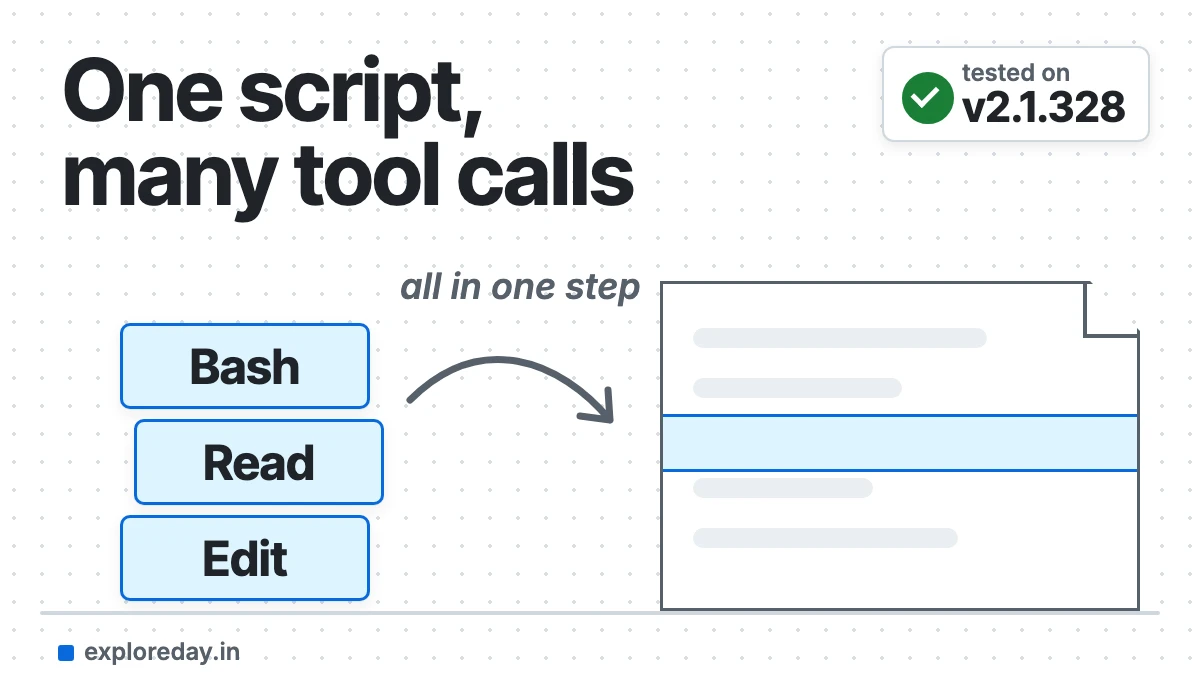
Claude Code Code Mode is an experimental feature. Claude writes a short JavaScript program that makes several tool calls at once, instead of calling tools one by one. You turn it on by starting Claude Code v2.1.323 or later with CLAUDE_CODE_EXPERIMENTAL_CODE_MODE=1.
Quick answer: Update to v2.1.323 or later, then run CLAUDE_CODE_EXPERIMENTAL_CODE_MODE=1 claude and pick Yes, turn on Code Mode once. It only works in an interactive terminal session. It doesn’t work with claude -p, the VS Code panel or the Desktop app.
Tested on: Claude Code 2.1.328, macOS (Apple Silicon), Sonnet 5.5 on a Claude Max plan, 19 November 2026. I turned Code Mode on and ran the same task with it on and off. The screens, script and token counts below are copied from those runs. Limits I didn’t hit myself come from the official docs and changelog linked in the text. Drafted with AI assistance (Claude).
Turn on Claude Code Code Mode in 4 steps
- Check your version: run
claude --version. If it’s below 2.1.323, runclaude update. - Start with the variable set:
CLAUDE_CODE_EXPERIMENTAL_CODE_MODE=1 claude(macOS, Linux and WSL). - Confirm once: choose Yes, turn on Code Mode. Claude Code restarts. (In a new folder, it first asks if you trust the folder.)
- Check the top line: it should say Code Mode is on (exact text below).
Code Mode (experimental) is on · this session can be resumed only with Code Mode onOn Windows PowerShell, set the variable first, then start Claude Code:
$env:CLAUDE_CODE_EXPERIMENTAL_CODE_MODE = "1"
claude
To keep it on for every new session, add an env block to ~/.claude/settings.json:
{
  "env": {
    "CLAUDE_CODE_EXPERIMENTAL_CODE_MODE": "1"
  }
}
A project can’t switch it on for you. Claude Code ignores this variable in a project’s settings files, so a repo you clone can’t turn on Code Mode.
On the stable release channel, the update may not reach 2.1.323 yet. Wait for it, or switch to the latest channel (Code Mode docs).
What is Code Mode in Claude Code?
Code Mode changes how Claude uses its tools. Normally Claude asks for one tool call, such as Bash, Read or Edit, reads the result, then picks the next one. In Code Mode, Claude writes one piece of JavaScript that makes the calls, and Claude Code runs it in your session (how it works).
One script can run commands in parallel and feed one result into the next call. It returns only the part of the output Claude needs to read.
You still see the tool calls, like an edit’s diff, but not the code. Press Ctrl+O to open the transcript viewer. Each script shows there as a collapsed Code row.
You can see a real script Claude wrote in my test below.
| Normal session | Code Mode | |
|---|---|---|
| How tools run | One call, then Claude reads the result | One script makes several calls |
| What Claude reads | Each result | Only what the script returns |
| What you see | Each tool call | Each tool call; the code is behind Ctrl+O |
What did Code Mode do on a real task?
It wrote one script instead of making calls one by one, and used half the model turns. I made a small git repo with 6 Markdown files and 5 broken local links. Then I gave Claude the docs’ own test prompt twice, with Code Mode on and then off. Both runs used Sonnet 5.5 in auto mode.
Read every Markdown file in this project and list the links that point to local files that don't exist.The first start showed this opt-in screen (shortened), then “Restarting Claude Code in Code Mode…”:
Code Mode (experimental)
In Code Mode, Claude works by writing and running JavaScript that calls its tools, instead of calling them one at a time.
❯ No, start without it
Yes, turn on Code Mode| Code Mode on | Code Mode off | |
|---|---|---|
| Broken links found | 5 of 5 | 5 of 5 |
| Model turns | 2 | 4 |
| Tool calls | 1 script that ran 17 Bash and 6 Read calls | 3 Bash calls (1 failed) |
| Cache-read tokens | 38,953 | 177,669 |
| Output tokens | 894 | 889 |
| Time shown | “Worked for 8s” | “Baked for 8s” |
The answer was the same, and so was the time. The gain was fewer round trips: each extra turn re-reads the conversation, so normal mode read about 4.6 times more cached tokens. That counts toward your plan’s usage limits. It’s one small test, so treat it as an example, not a benchmark.
In the conversation I saw “Read 6 files, ran 17 shell commands”, not the code. Ctrl+O showed one collapsed row, Code(const files = (await $`git ls-files -co --exclude…) · 23 lines. Here’s the start of that script, copied from the session file:
const files = (await $`git ls-files -co --exclude-standard '*.md' '*.markdown'`.text()).trim().split('\n').filter(Boolean);
const cwd = (await $`pwd`.text()).trim();
const out=[];
const fs_exists = async p => (await $`test -e ${p}`.nothrow()).exitCode===0;
for (const f of files) {
  const t = await file(f).text();
  // … parse each Markdown link, skip URLs and code fences, then fs_exists() each path
}
({files, out})
The full 23-line script used the $ shell helper and file(). It skipped external URLs, anchors and anything inside code fences.
Code Mode vs auto mode vs plan mode: what’s the difference?
Code Mode is not a permission mode. Auto mode and plan mode decide what Claude may do without asking you. Code Mode changes how Claude makes tool calls, and it runs alongside whichever permission mode you pick.
| Mode | What it changes | How to turn it on |
|---|---|---|
| Code Mode | How tools are called: one script runs many calls | CLAUDE_CODE_EXPERIMENTAL_CODE_MODE=1 |
| Auto mode | Permissions: a safety classifier reviews actions instead of asking you | The default terminal mode since v2.1.283, or claude --permission-mode auto |
| Plan mode | Permissions: Claude explores and writes a plan; edits wait for your OK | Shift+Tab, /plan, or claude --permission-mode plan |
So you can use Code Mode and auto mode at the same time. In fact, scripts can only run in the background if you start the session in auto or bypassPermissions mode (long-running code).
What do you need to use Code Mode?
You need v2.1.323 or later, an interactive terminal session and a supported model. Here’s the full list from the requirements:
| Requirement | Works | Doesn’t work |
|---|---|---|
| Version | v2.1.323+ (v2.1.326+ with agent teams on) | Older versions start without it |
| Account | Claude subscription or Console account (see the “organization has disabled” fix if login fails) | Gateways, Amazon Bedrock, Google Cloud’s Agent Platform, Microsoft Foundry |
| Model | Opus 5.5, Sonnet 5.5, Haiku 5.5, Fable 5.2 | Older models |
| Where | Interactive claude in a terminal |
claude -p, Agent SDK, VS Code panel, Desktop app, cloud sessions |
| Install | The native build | Other install methods |
| Organization | Standard setups | HIPAA configuration, zero data retention |
| Windows | Git for Windows installed | No Git for Windows |
Some settings also block it: an API key helper, OpenTelemetry export and DISABLE_TELEMETRY. The fixes are in the troubleshooting table below.
When is Code Mode worth using?
Use Code Mode for tasks with many related tool calls. The docs name three:
- A change that repeats across many files.
- A search whose results need filtering before Claude reads them.
- Several separate commands that can run at the same time.
Skip it if you need Claude in Chrome, Remote Control or computer use. None of them work in Code Mode. It’s also out if you work in the Desktop app, the VS Code panel or claude -p scripts.
Accept these limits first:
- Resume: a Code Mode session resumes only in the terminal, with Code Mode still on.
- 10-minute cap: code you wait on stops after ten minutes, including time spent at permission prompts. Background code can run for up to two hours.
- No moving: you can’t move the session to the Desktop app or turn it into a background session.
How do permissions work in Code Mode?
Every tool call inside the code still goes through your deny and ask rules. It also passes your PreToolUse hooks under its usual name, such as Bash. What changes is the review step (permission checks).
- Auto mode: the classifier reviews each script before it runs, not each call. It can’t see values worked out at run time, such as a path taken from search output.
- Other modes: the script starts without a review. You get a prompt for each call that would normally prompt you.
If you must control a command, keep a deny rule or a hook for it. For limits that don’t depend on command text, the docs point to sandboxing. My Claude Code sandbox guide shows how auto-allow works on macOS.
Two notes for hook authors. A hook that matches REPL sees the JavaScript in tool_input.code. And a git push in an app folder can reach your hook as cd 'app' && git push, so check each part of the command.
How do I turn off Code Mode?
Remove the variable from your shell and from ~/.claude/settings.json, then start a new session. Or set it to 0. A 0 in either place keeps Code Mode off.
Admins can block it for the whole organization by setting the variable to "0" in managed settings. They can’t switch it on for users that way.
{
  "env": {
    "CLAUDE_CODE_EXPERIMENTAL_CODE_MODE": "0"
  }
}
Watch out: a session started in Code Mode refuses to resume without it. Keep the variable at 1 when you run claude --continue or claude --resume.
Code Mode doesn’t start: what the message means
If you see Code Mode (experimental) isn't available, the reason follows on the same line. /status shows it too. Find it here, fix it, then start a new session:
| Reason includes | Fix |
|---|---|
| isn’t open to your account (yet) | Update to v2.1.323+. Still there? Check your network, or try another day. |
| only works with the Anthropic API | Remove gateway, cloud provider or custom ANTHROPIC_BASE_URL settings. |
| doesn’t work with an API key helper | Remove apiKeyHelper and ANTHROPIC_AUTH_TOKEN. Then sign in, or set ANTHROPIC_API_KEY. |
| only works with Opus 5.5, Sonnet 5.5 and later models | Start with --model opus. Haiku 5.5 and Fable 5.2 work too. |
| needs settings that Claude Code downloads from Anthropic | Unset DISABLE_TELEMETRY. |
| OpenTelemetry is on | Unset CLAUDE_CODE_ENABLE_TELEMETRY and ENABLE_BETA_TRACING_DETAILED. |
| doesn’t yet work with the plugin | Run /plugin and disable the plugin it names. |
| can’t be used together with agent teams yet | Update to v2.1.326 or later. |
| couldn’t save your answer | Make ~/.claude.json writable. |
No Code Mode line at all? Run claude --version first. Then check the variable is 1, and that no 0 is set anywhere else.
What changed in the latest versions?
Update before you try it. Code Mode arrived in v2.1.323 on 12 November 2026, and each release since has fixed more (changelog):
- v2.1.326: works with agent teams turned on. It also fixed skills and slash commands failing to load in some auto mode sessions.
- v2.1.327: an installed mod that hooks tool calls no longer stops Code Mode from starting.
- v2.1.328 (19 November): shorter tool descriptions to cut token use. It also dropped a 0.75-second pause after most scripts in auto and bypass modes, and shows the running command and its output live.
v2.1.328 also lists 13 Code Mode bug fixes. If you use MCP servers, it improved caching for Code Mode sessions that have them.
What I tested, and what I didn’t
I tested the basics: turning Code Mode on with the variable, the opt-in screen, the “is on” line, one task with it on and off, and reading the script with Ctrl+O. That was on Claude Code 2.1.328 with Sonnet 5.5 on macOS.
I didn’t test background scripts, hooks, Windows or PowerShell, or what happens at the ten-minute limit. Those parts come from the official docs and changelog, read on 19 November 2026. Code Mode is experimental and may change in any release, so check the Code Mode page before you rely on a limit here.
FAQ
What is Code Mode in Claude?
It’s an experimental Claude Code setting. Claude writes JavaScript that makes several tool calls in one step. It’s off by default.
Does Claude Code Code Mode work with claude -p?
No. It needs an interactive claude session in a terminal. Print mode, the Agent SDK, the VS Code panel, the Desktop app and cloud sessions start without it.
Can I use Code Mode in VS Code?
Not in the Claude Code panel. The docs only rule out the panel, so running claude in VS Code’s built-in terminal should work like any other terminal session.
Can a cloned repo turn on Code Mode?
No. Claude Code ignores this variable in a project’s settings files. Only your shell or your user settings can turn it on.
Is Code Mode the same as auto mode?
No. Auto mode controls permissions. Code Mode controls how tool calls run, and it works inside auto mode or any other permission mode.
Sources
- Run tool calls from code with Code Mode (official docs)
- Choose a permission mode (official docs)
- Environment variables (official docs)
- Variables Claude Code ignores in env (official docs)
- Claude Code changelog (GitHub)
- v2.1.323 release (GitHub)